One-time purchase · *Some features have additional system requirements
From text to context
A saved recipe is useful. A recipe Cookery understands is better.
Cookery finds relationships inside the recipe, so the information you need can appear exactly when you need it.
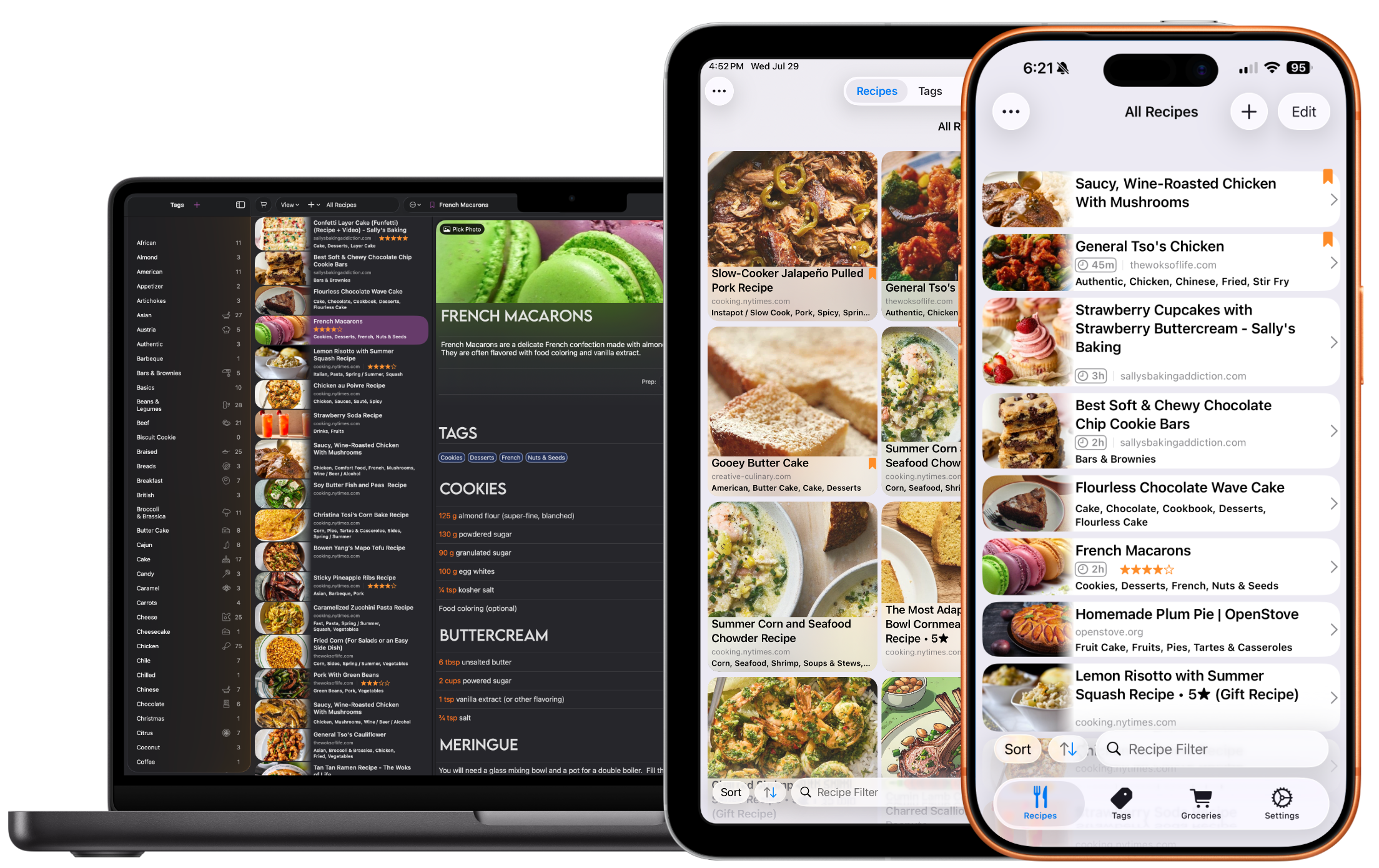
Filter with tags
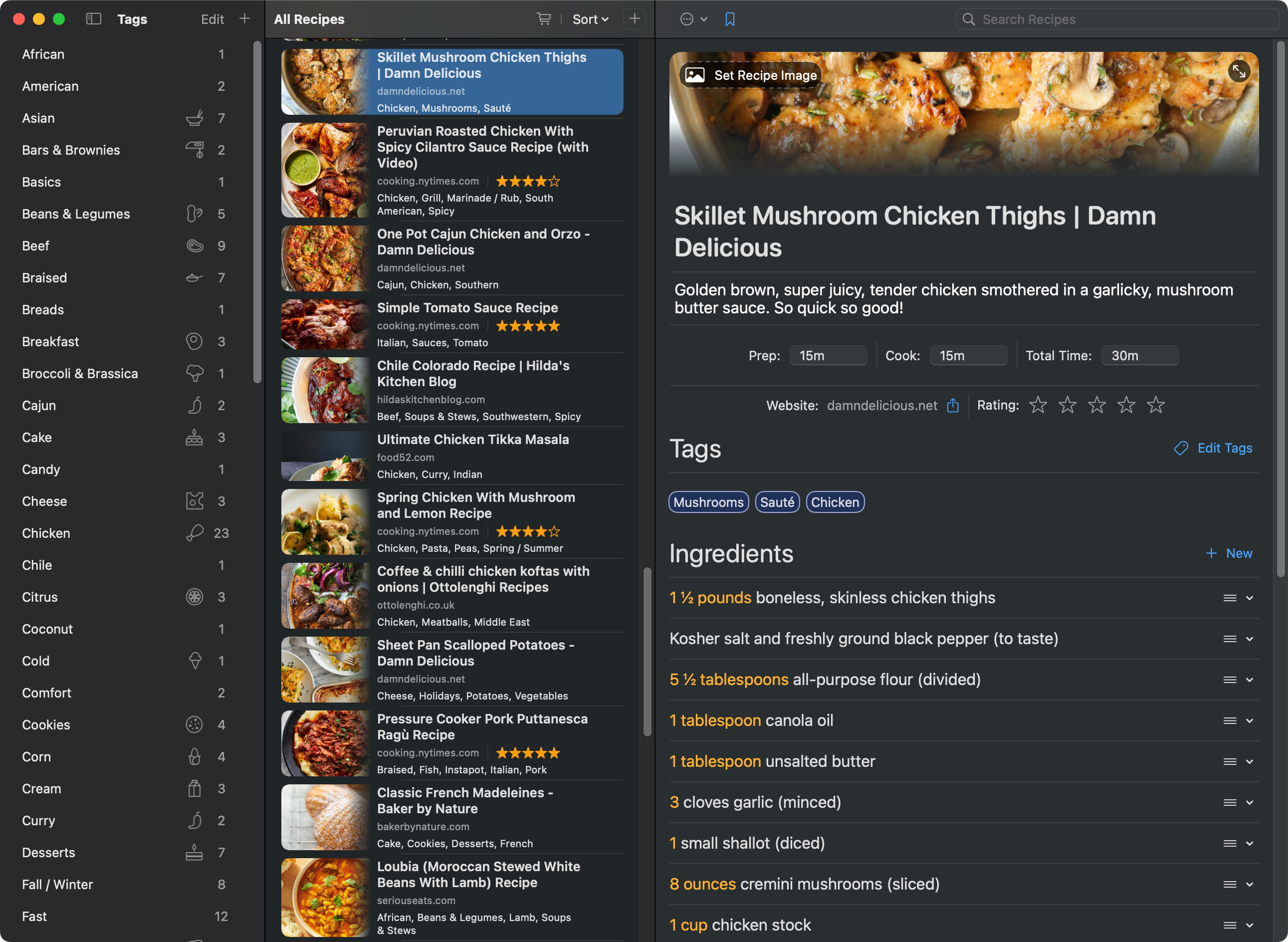
Narrow a large library without losing sight of the recipes inside it.
Browse in context
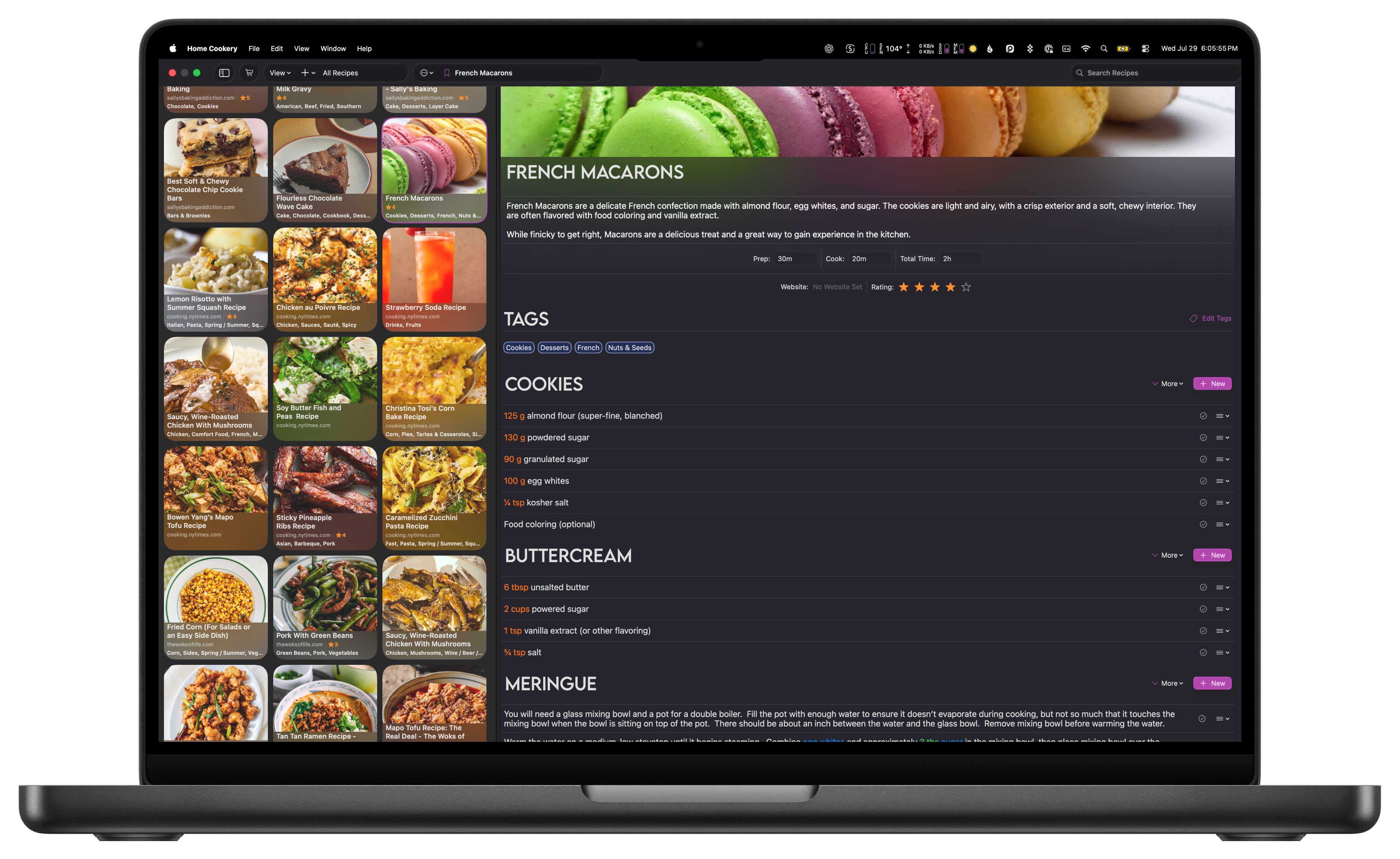
Compare titles, photos, ratings, sources, and cooking times at a glance.
Read the full recipe
Ingredients and instructions stay open while the rest of your collection remains close.
Made for the way recipes reach your Mac
Bring it in. Clean it up. Make it yours.
Save from your browser
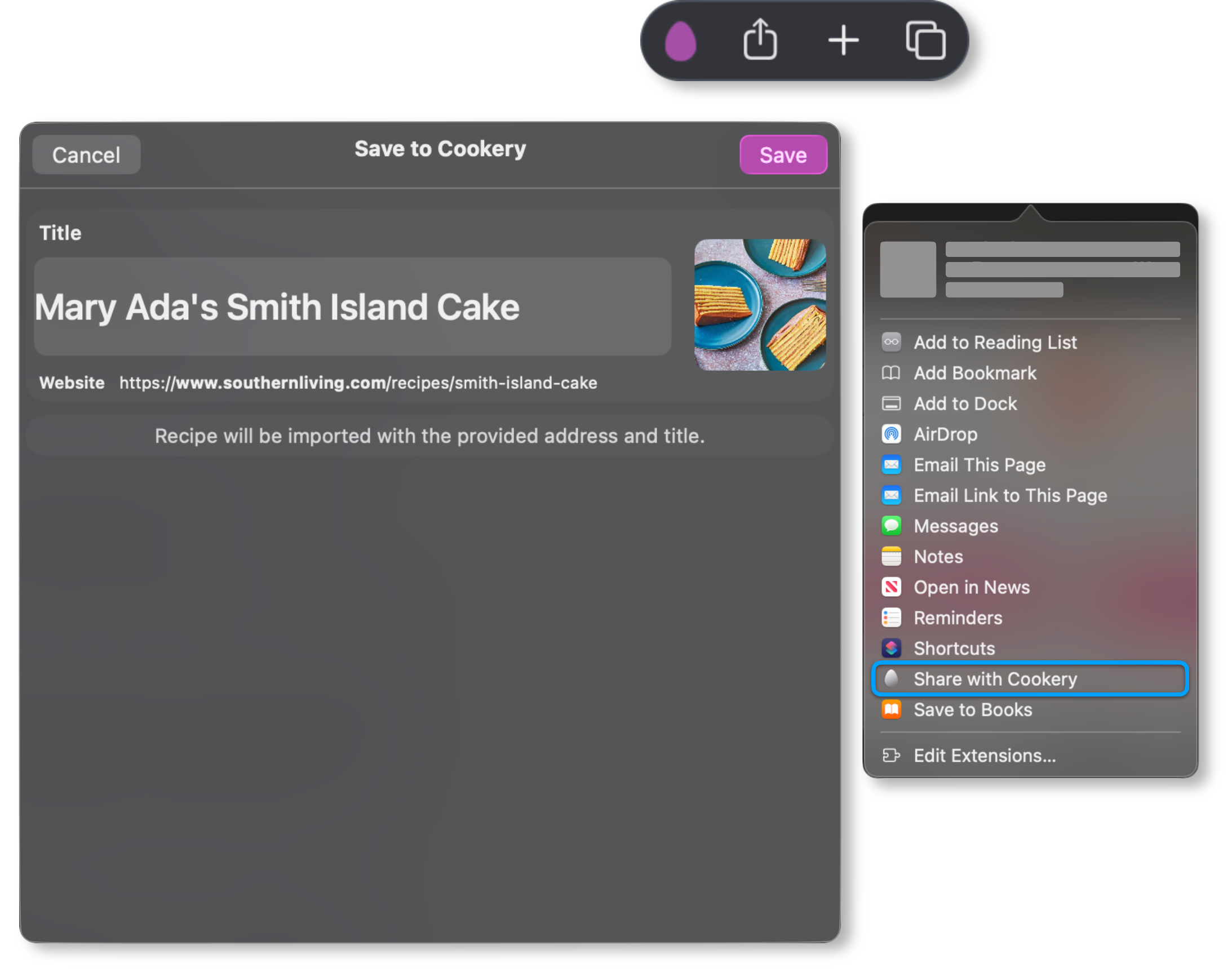
Use Cookery from Safari or the macOS Share menu to import from nearly any recipe site. A recipe arrives as an editable recipe—not a bookmark you have to decipher later.
When that recipe blog is lost to time, the recipe remains.
Your recipe. Your amounts.
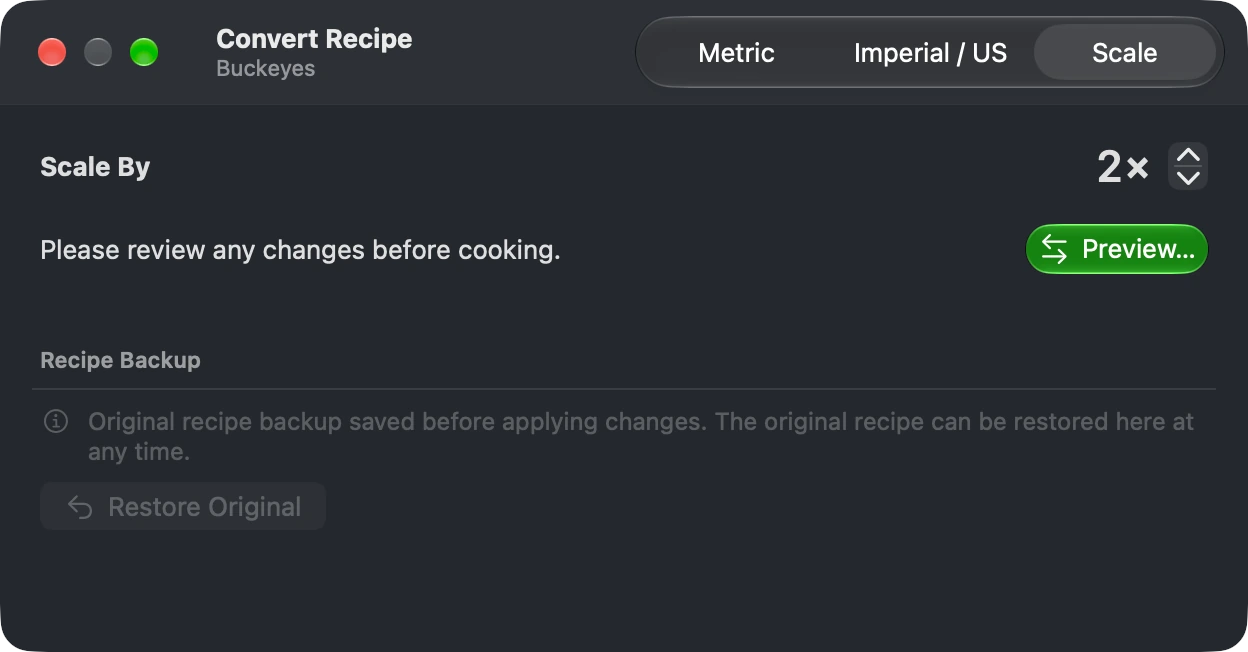
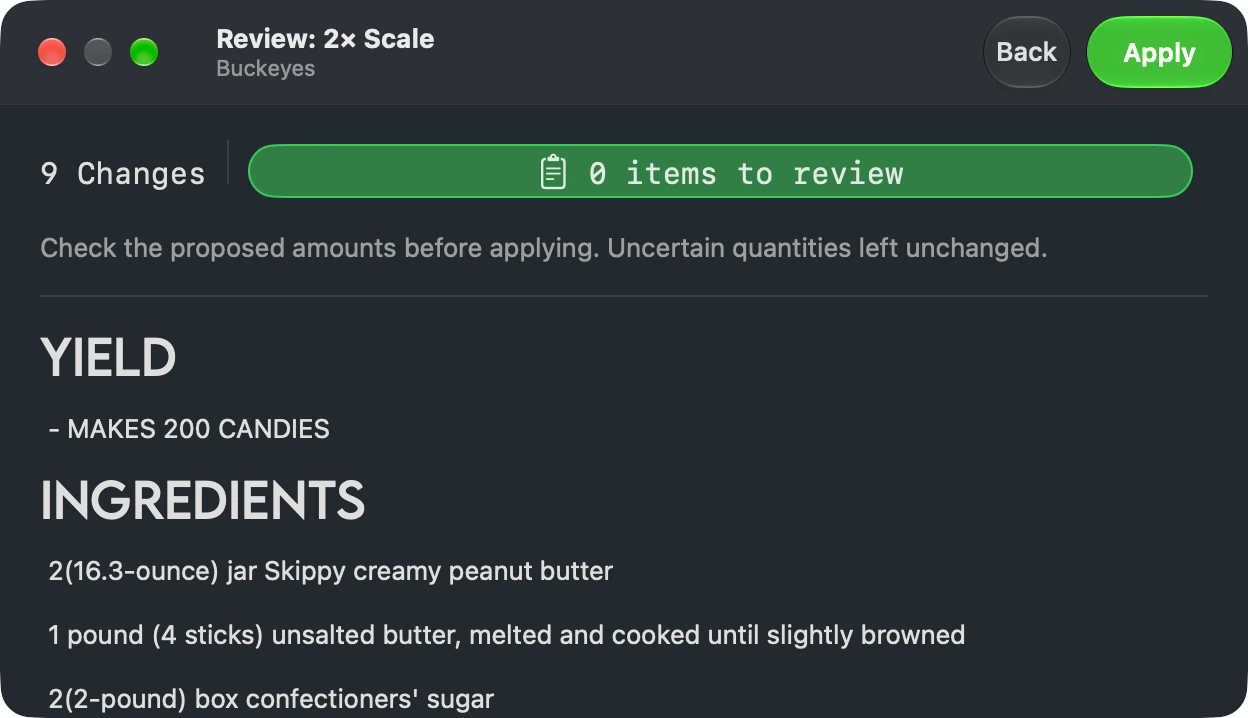
Convert a whole recipe between metric and imperial / US, or scale it up or down. Review the proposed changes before applying them, and restore the original anytime.
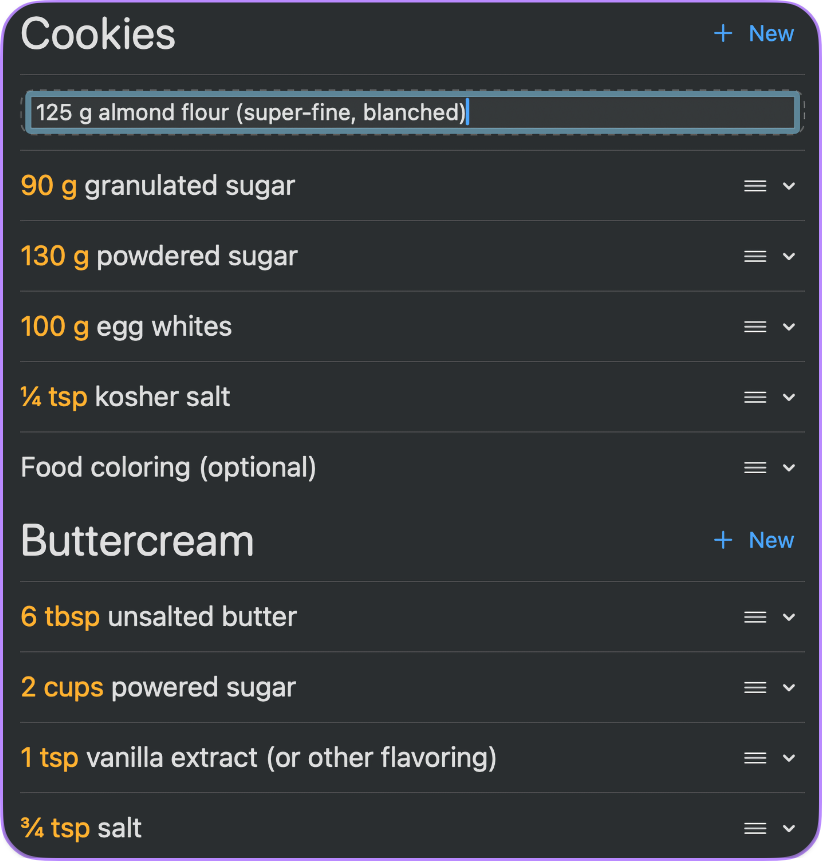
Use the keyboard, pointer, menus, and undo or redo to refine ingredients and instructions with confidence.
Times become timers
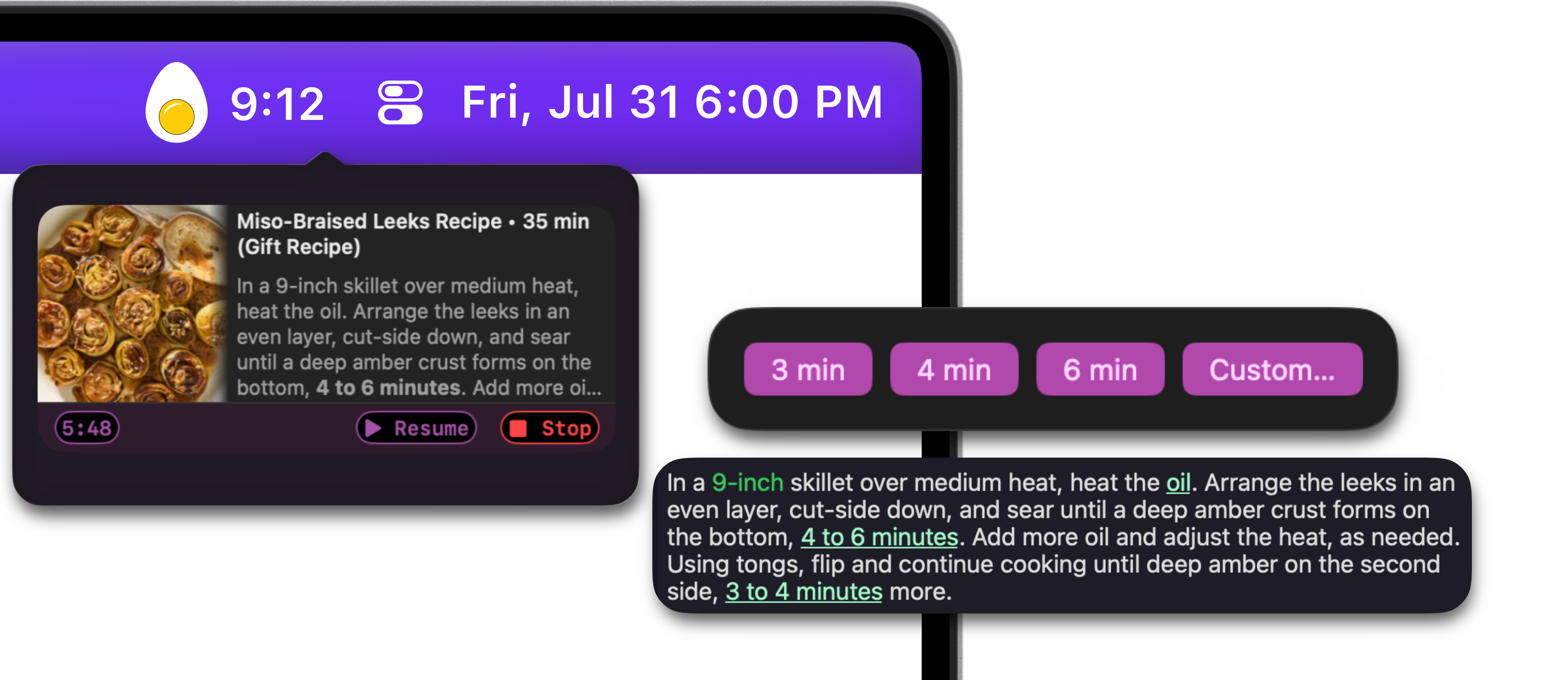
Cookery recognizes durations and time ranges in recipe steps. Start a timer with a click and keep it visible while you cook.
Messy input becomes a real recipe*
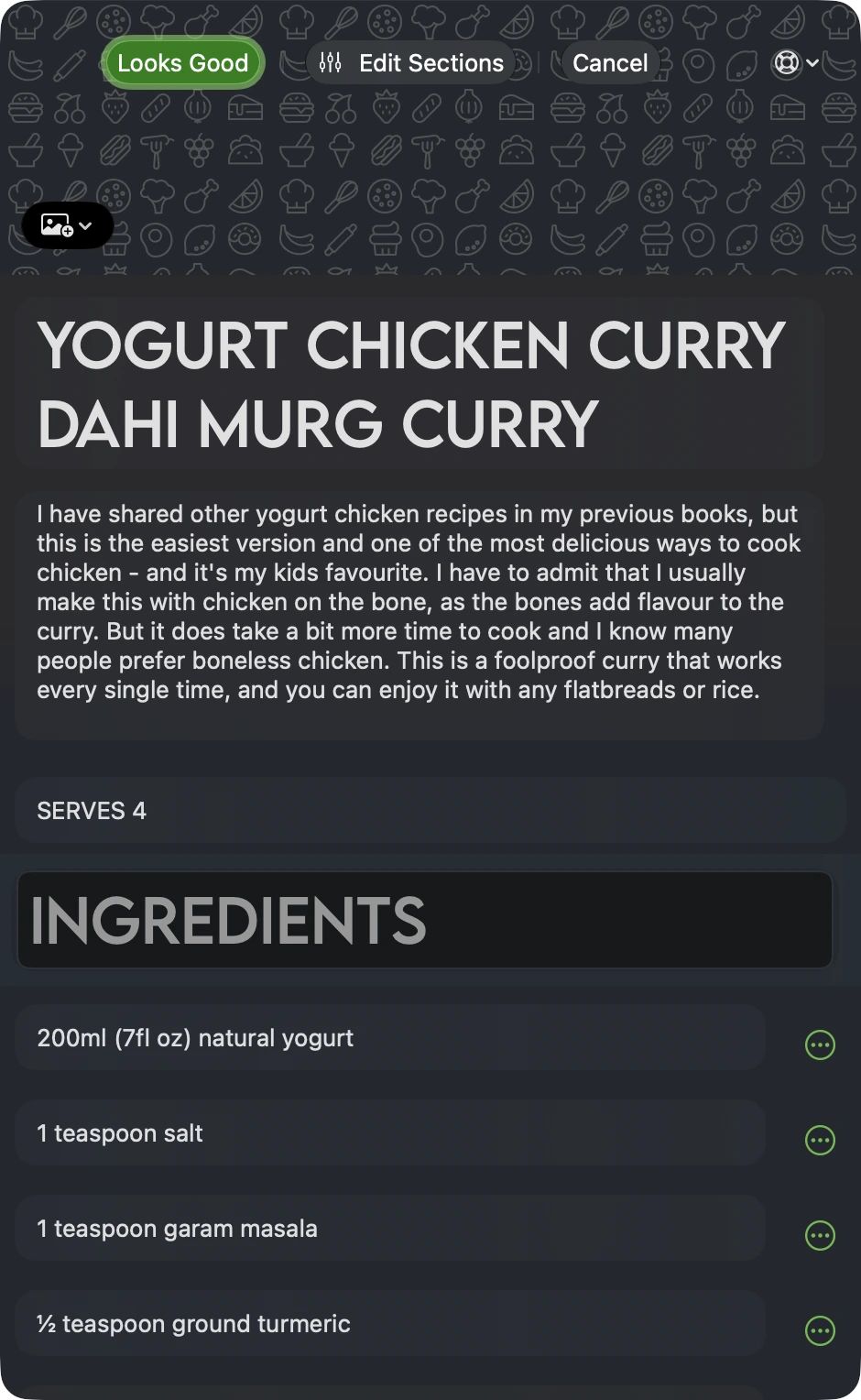
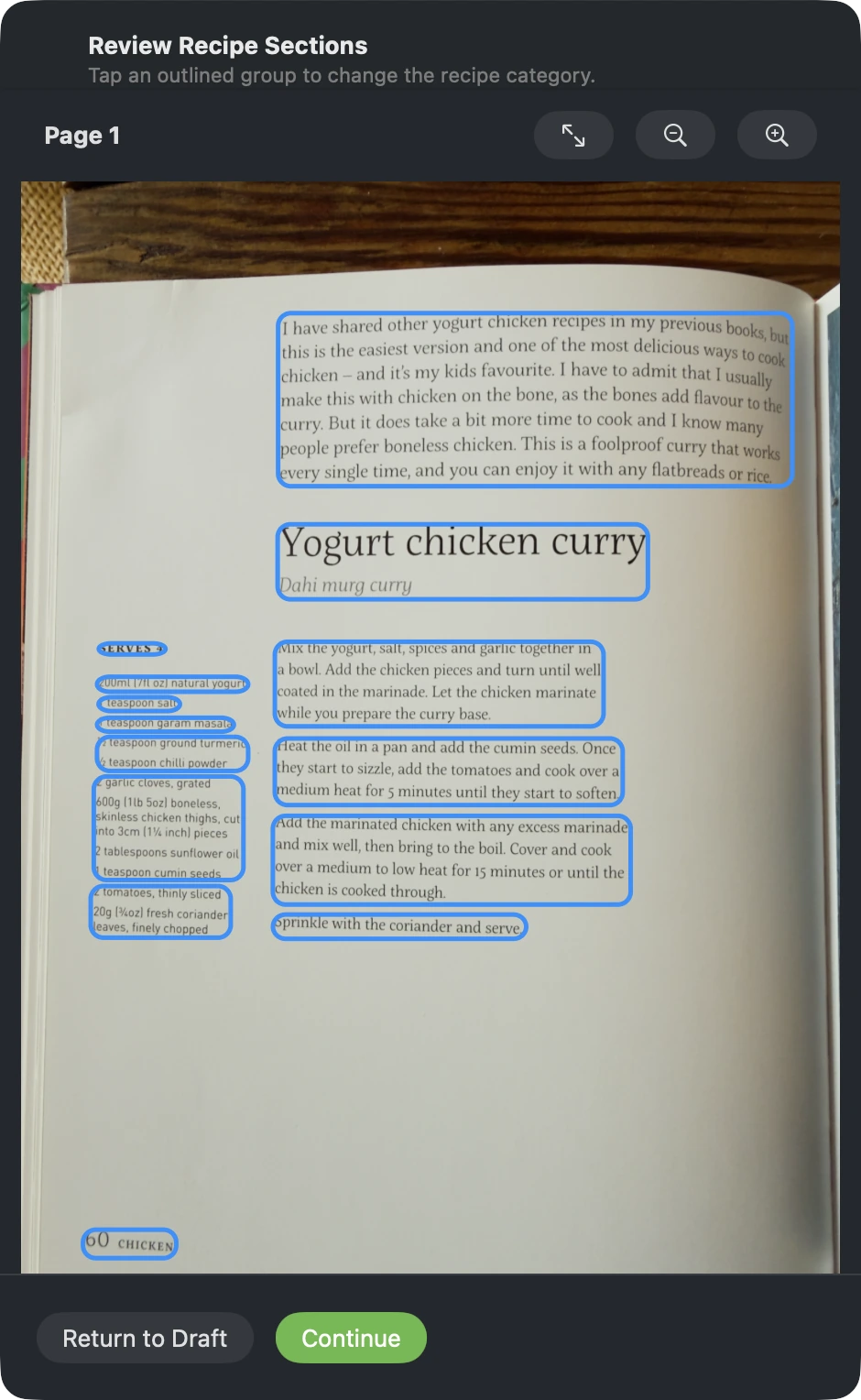
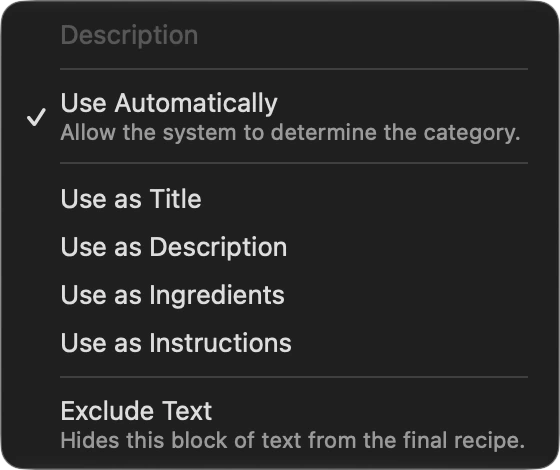
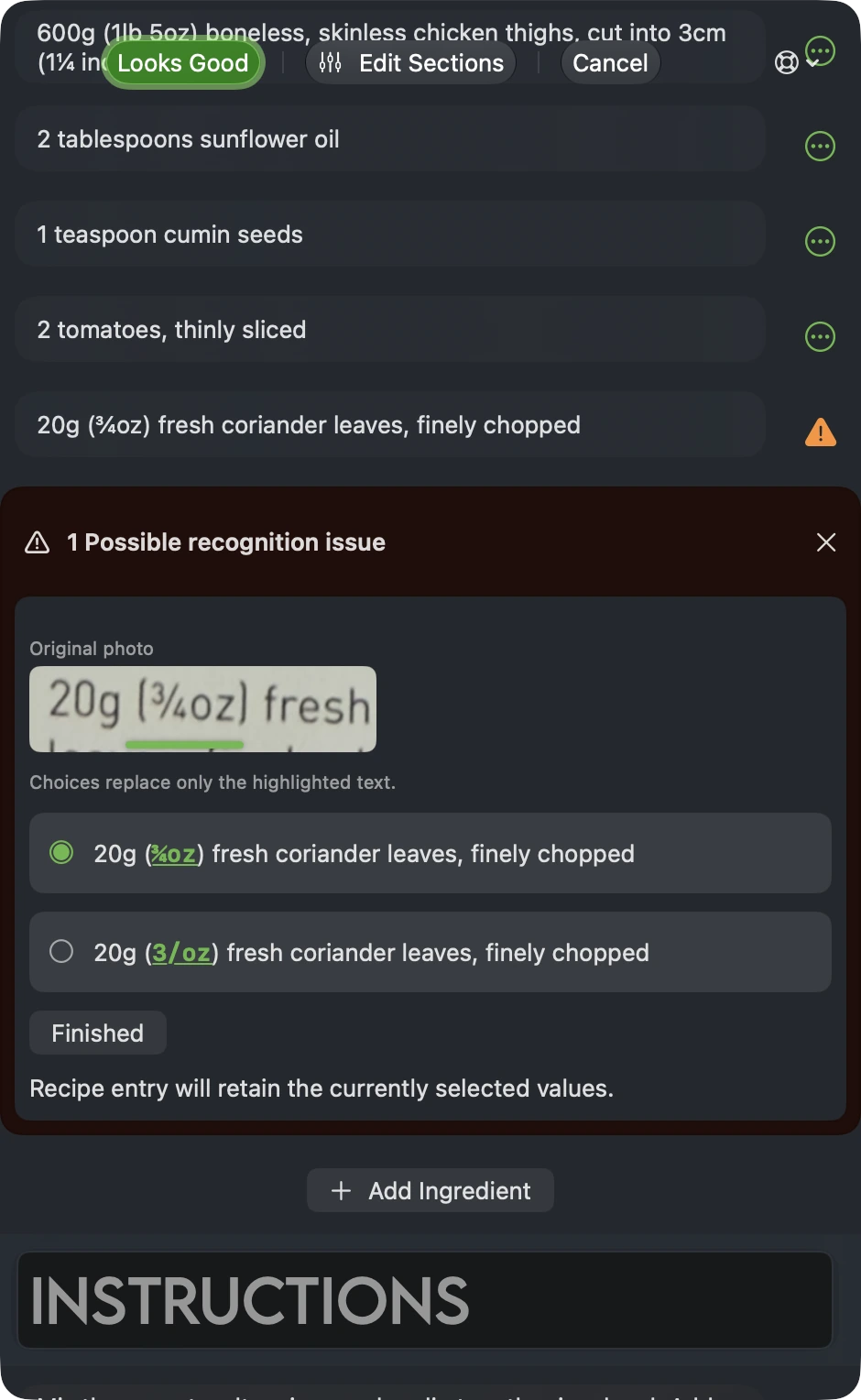
Import a cookbook photo, PDF, or note as an editable recipe. Review the detected sections, change a category when needed, and compare uncertain text with the original photo before saving.
Requires Cookery+
Start with a draft
Review recipe sectionsReview recognized text
*Photo and PDF import requires Cookery+ and may require Apple Intelligence.
Not just an iPhone App
Designed for macOS.
Cookery for Mac is built for a desktop workflow, with all of the familiar features of Cookery for iOS, designed for a Mac.
Three-column workspaceMove from tags to recipes to details without losing your place.
Menu commandsImport, edit, export, undo, and redo where Mac users expect them.
Spotlight searchFind a recipe from outside Cookery and open it directly.
Grid and list viewsChoose a visual overview or an information-dense library.
Grocery listsMove ingredients from a recipe into one focused shopping list.
Multiformat exportShare recipes as PDF, RTF, plain text, or Cookery recipe files.
From discovery to dinner
Your Mac does the organizing. You do the cooking.
1
Collect
Share a page from the browser, choose a photo or PDF, or start a recipe from scratch.
2
Shape
Edit the details, add tags, choose a photo, and make the recipe fit the way you cook.
3
Keep it moving
Sync through iCloud, add groceries, and pick the recipe up again on iPhone or iPad.
One library across your Apple devices
Plan on Mac. Cook anywhere.
Cookery keeps recipes and grocery lists in sync with iCloud. There is no separate Cookery account to create and no subscription to manage.
Private iCloud Sync
No Account Required
Shared Cookery+ Purchase
iPhone, iPad & Mac
Give your recipe collection room
Bring Cookery to your Mac.
Import it. Organize it. Edit it. Keep every recipe ready for the kitchen.